

Enterprise Cloud Budget Trend
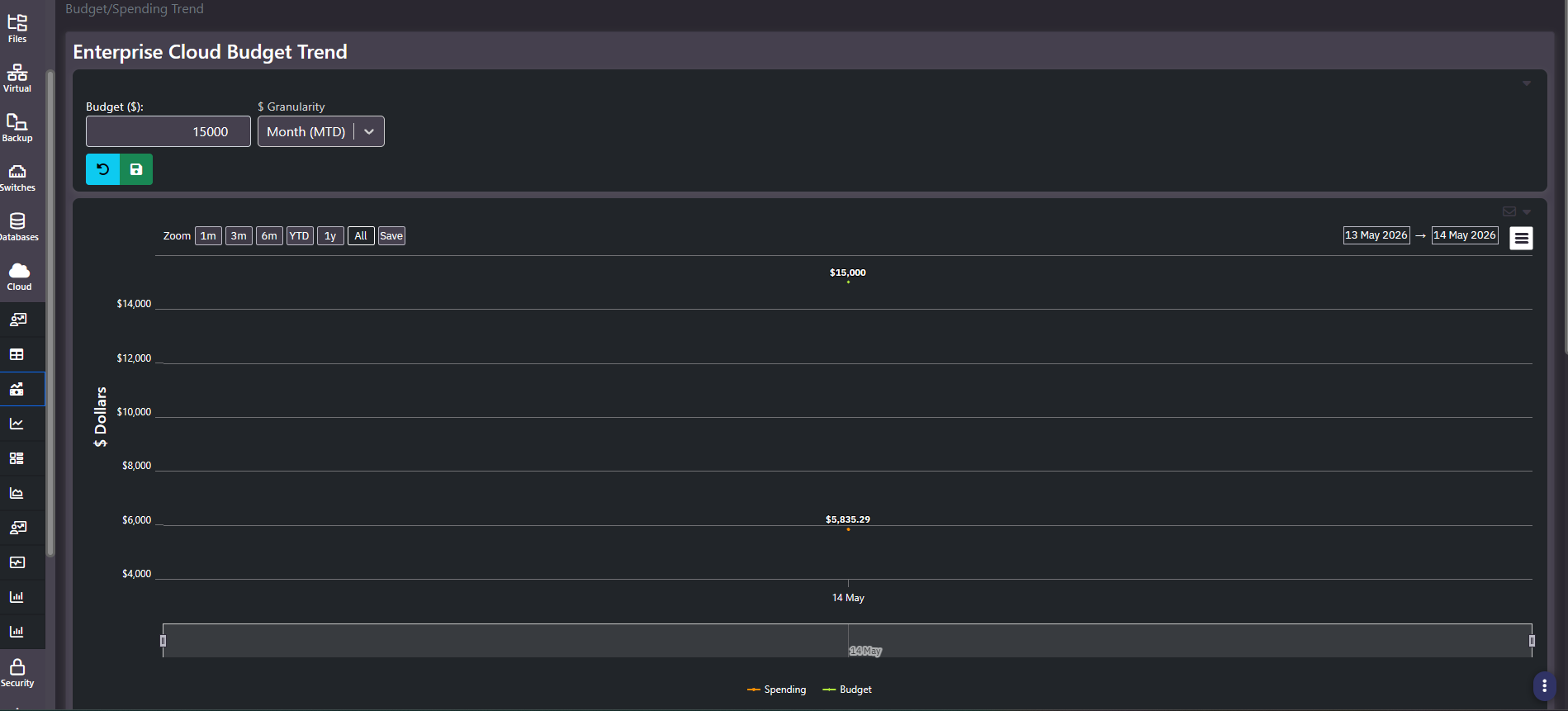
Purpose: Budget against actual for cloud, with the budget as an input you set on the screen. Two series, spending and budget, plotted over the chosen window. It is the shortest answer to whether cloud is on plan.
When to use it
- Set or revise the cloud budget and see the effect immediately
- Show variance to date in a single chart for a finance conversation
- Establish how much headroom remains in the current period
- Compare the same spend against monthly and annual budget bases
Key areas and metrics
- Budget ($). A text input holding the budget figure, with reset and save controls beneath it. This is the only screen in the section where the cloud budget itself is authored.
- $ Granularity. A dropdown, commonly
Month (MTD), that sets the period the budget and spending are measured over. Changing it rebases both series. - Chart. Two labelled series, spending and budget, with a dollar y-axis, zoom presets, explicit date pickers, a save control, an export menu, a per-panel email action, and a range brush.
Reading the gap
The distance between the two series is the whole report. Spending well below budget mid-period is normal, because month-to-date accumulates against a full-period budget. What matters is the slope: extend the spending line to period end and compare that against the budget line, rather than comparing today’s two points.
This is the trap the screen invites. A month-to-date figure at forty percent of budget on day fourteen is roughly on plan, not a large underspend, and reading the raw gap as headroom leads to approving spend that the period cannot absorb.
Common actions
- Set the budget before reviewing anything. With no budget entered the comparison series has nothing to plot against.
- Save after editing. The input has an explicit save; changing the field alone does not persist it.
- Switch granularity for the audience. Monthly suits an operational review, annual suits a planning conversation.
- Cross-check against the forecast on Cloud Summary. The forecast is the projection this budget should be judged against.
Tips
This budget covers cloud only. For budget against actual across storage, virtual, and cloud together, use Cost Per Sector in FinOps instead.
Related screens
Cloud Summary carries the month-end and year-end forecasts. Cost Per Sector is the cross-estate budget view. Cloud Resource Group Forecast applies the same budget-versus-accumulated-cost pattern to a single resource group.