

Backup Protection Gap Analysis
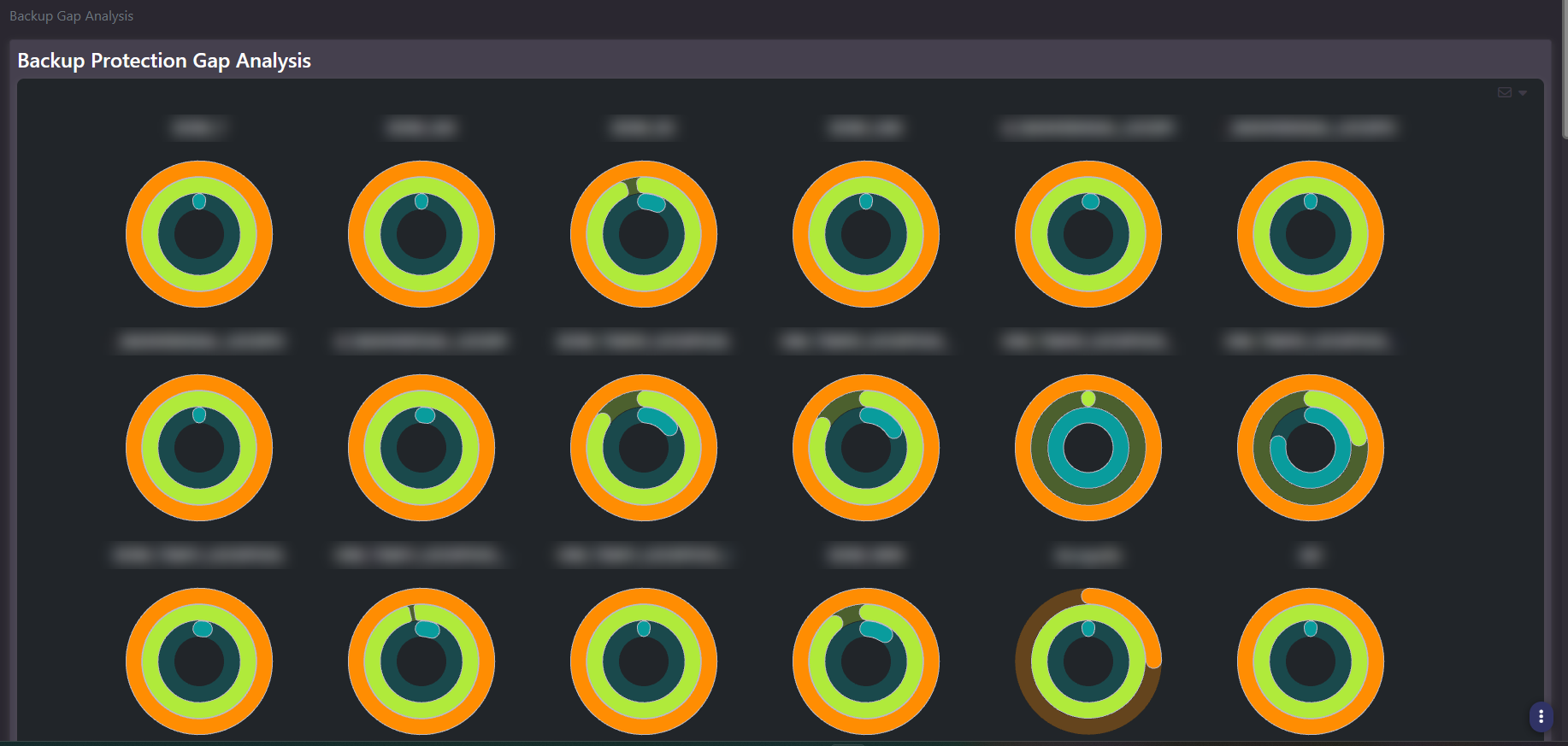
Purpose: Protection coverage per backup domain, rendered as a wall of gauges. One gauge per domain or policy, so a large backup estate reduces to a single screen where the outliers are visually obvious.
When to use it
- Compare protection coverage across many backup domains at once
- Find the domains that look different from their neighbours
- Take a domain-level picture into a governance or policy conversation
- Decide which domains deserve a detailed audit
Key areas and metrics
The screen is a tiled grid of gauges, each labelled with its backup domain or policy name. Every gauge draws multiple concentric rings in different colours, so a single tile carries several coverage measures at once rather than one percentage.
Domain names follow the naming convention of the underlying backup platform, which typically encodes operating system family, retention class, or site. A large estate produces dozens of tiles, and the grid scrolls.
How to read it
This is a comparison screen rather than a measurement screen. Its value is that most tiles in a healthy estate look alike, so the ones that do not stand out immediately: a ring filled to a noticeably different extent, or a colour pattern that breaks from its neighbours.
Use it to select which domains to investigate, then move to the VM Audit Report or Backup Status for the specific systems and jobs behind the tile. Do not quote a figure from a gauge; quote it from the detail screens.
Common actions
- Scan for outliers first. Uniformity is the baseline; difference is the signal.
- Note the domains whose names indicate production or compliance scope and check those tiles specifically, regardless of how they compare to the rest.
- Hover a gauge to surface the values behind each ring before drawing a conclusion from the shape alone.
- Move to detail. Once a domain is identified, VM Audit and Backup Status carry the actionable rows.
Tips
The concentric rings each represent a different coverage measure, and the screen carries no visible legend. Hover a gauge to confirm what each ring is reporting in your environment before acting on it, rather than assuming an ordering.
Domain names on this screen are unusually revealing, because backup naming conventions tend to encode site, application, and compliance scope in a single string. Redact the labels before sharing.
Related screens
VM Audit Report is the per-system detail behind a gap. Backup Status shows the job outcomes inside a domain. Executive Backup Summary presents coverage as percentages by site rather than by domain.