

Database All Instances
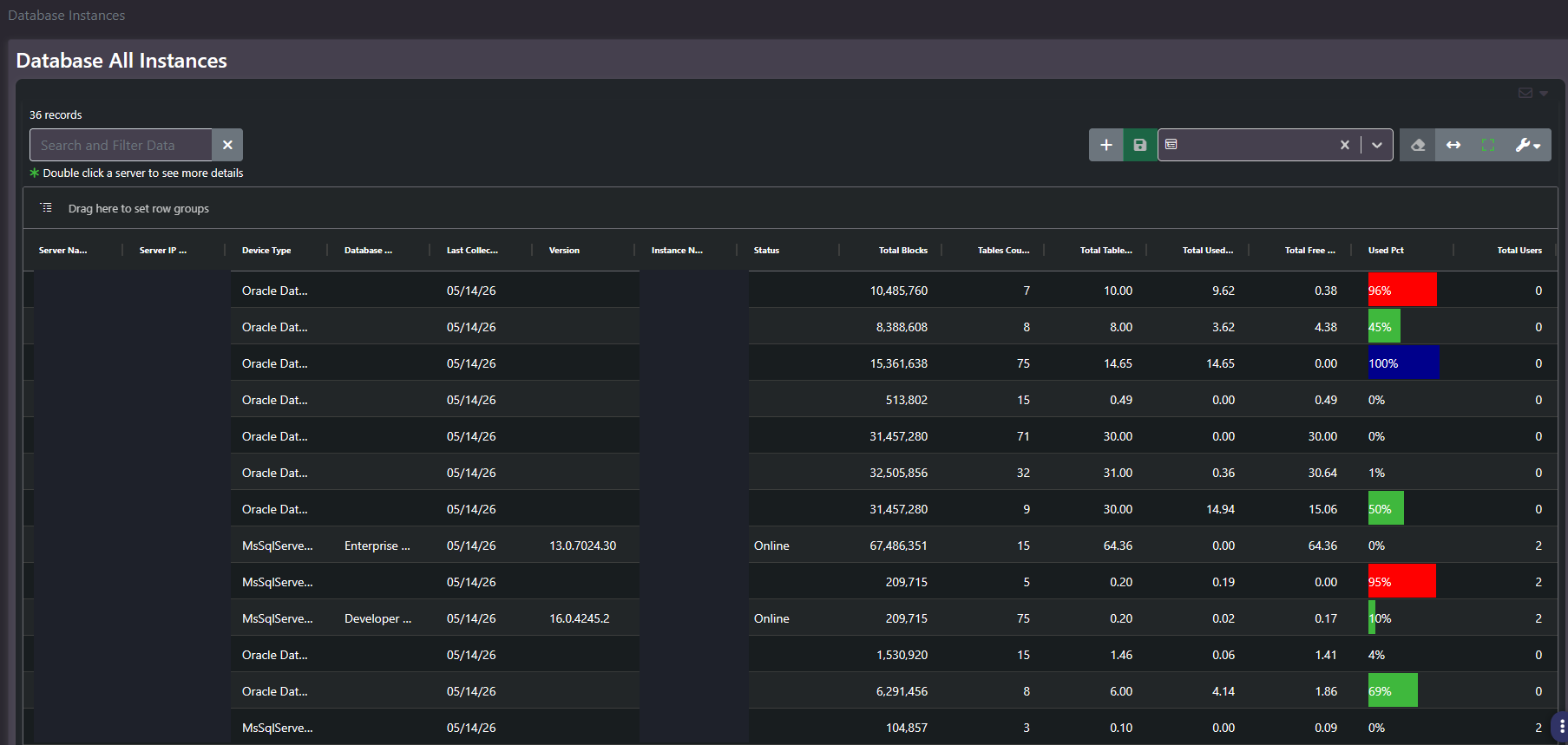
Purpose: The full instance inventory. One row per database instance with its host, address, platform, edition, version, status, object counts, capacity, and user count. This is the reconciliation and licensing screen for the database estate.
When to use it
- Reconcile the database estate against a CMDB or licence position
- Find instances running an edition that is not licensed for their environment
- Confirm which instances are online and being collected
- Identify instances that are large by object count but small by capacity, or the reverse
Key areas and metrics
| Column group | Columns |
|---|---|
| Identity | Server Name, Server IP, Instance Name, Device Type |
| Software | Database Edition, Version, Status |
| Collection | Last Collection date |
| Scale | Total Blocks, Tables Count, Total Tables size |
| Capacity | Total Used, Total Free, Used Pct rendered as a coloured data bar |
| Access | Total Users |
Helper text notes that double-clicking a server opens more detail. The grid carries the standard search, saved column settings, view controls, and row grouping.
Edition is the column with money attached
Database Edition is the most commercially significant field on the screen and the one nobody looks at. Editions differ by an order of magnitude in cost and carry different licensing terms, and some are not permitted for production use at all regardless of how the instance is actually being used.
An instance running a non-production edition while serving real users, or an enterprise edition where a lower tier would suffice, is a finding worth raising in both directions: one is a compliance exposure, the other is money being spent unnecessarily. Group by edition and the shape of the estate becomes obvious in one action.
Reading blanks and zeros
- Blank edition, version, or status. The platform does not expose that field through its collection interface at this scope. Common on one platform and not the other in the same grid.
- Total Users of zero. Either no users are defined or the platform does not report the count. Do not read it as an idle instance without checking.
- High block count with low capacity. Many small objects, typical of an application with a wide schema rather than a large dataset.
Common actions
- Group by Database Edition for the licensing conversation.
- Group by Device Type to compare platforms without the blanks getting in the way.
- Sort by Last Collection ascending to find instances that have stopped being collected.
- Sort by Used Pct descending for capacity pressure, checking allocation size alongside it.
Tips
This grid carries server hostnames and IP addresses in adjacent columns, which together are enough to map an internal network. Redact both before any screenshot leaves the organization.
Related screens
Databases Versions visualizes the version spread this grid lists. Enterprise Databases Summary is the aggregate view. Inventory Report carries the database count alongside the wider estate.