

Backup VM Audit Report
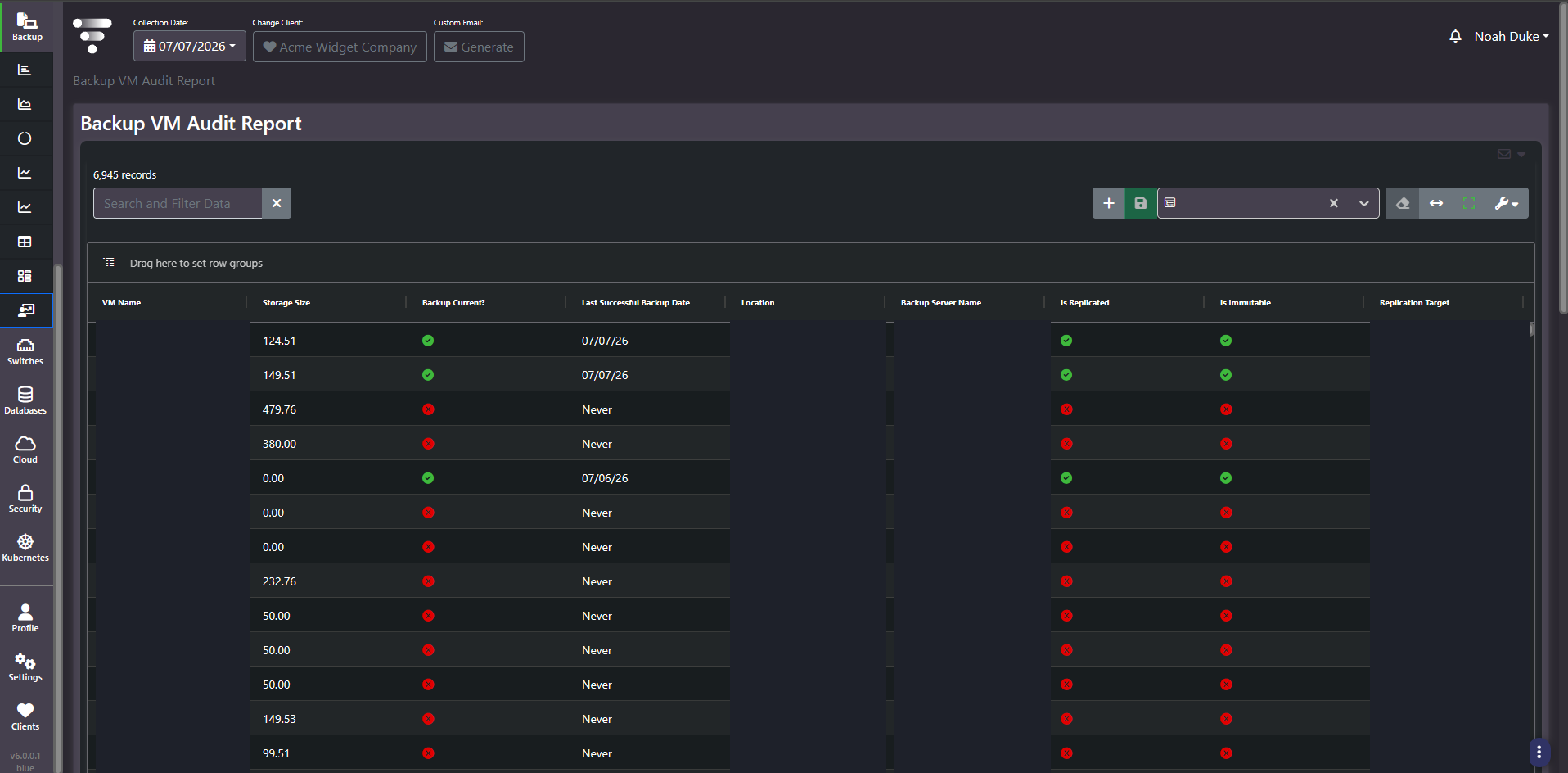
Purpose: The coverage audit. One row per virtual machine with whether its backup is current, when it last succeeded, and whether the copy is replicated and immutable. If you can only look at one backup screen, look at this one.
When to use it
- Find virtual machines that have never been backed up
- Evidence backup coverage for an audit, insurer, or cyber-insurance questionnaire
- Check immutability coverage as a ransomware-recovery position
- Confirm replication targets match the DR design
Key areas and metrics
| Column | What it tells you |
|---|---|
| VM Name | The virtual machine |
| Storage Size | How much data is at stake |
| Backup Current? | A pass or fail marker for whether protection is up to date |
| Last Successful Backup Date | The date of the last good copy, or Never |
| Location | The site or management host the VM sits under |
| Backup Server Name | Which backup server is responsible |
| Is Replicated | Whether a copy exists elsewhere |
| Is Immutable | Whether a copy exists that cannot be altered or deleted |
| Replication Target | Where the offsite copy goes |
Never is the value that matters
A Never in Last Successful Backup Date means that virtual machine has no recoverable copy and never has. It is a different and worse condition than a failed job, because a failed job appears in every alerting path and a machine nobody created a job for appears in none. Nothing upstream complains.
Read Storage Size beside it to prioritize. A large never-backed-up VM is both the biggest exposure and the longest job to establish, so it needs starting soonest. Sort by Backup Current, then by Storage Size descending, and the top of that list is the work.
Replicated and immutable are separate assurances
- Backed up but not replicated. Survives a machine failure. Does not survive losing the site.
- Backed up and replicated but not immutable. Survives site loss. Does not reliably survive ransomware, because a mutable copy can be encrypted or deleted along with the primary.
- All three. The position most recovery plans assume they already have.
Because the three are independent columns, this grid will show combinations nobody intended. Filtering to current backups that are not immutable is usually the most revealing single filter on the screen.
Common actions
- Filter Last Successful Backup Date to Never and treat the result as a worklist rather than a report.
- Group by Location to see whether gaps cluster at one site, which usually means a process gap rather than individual oversights.
- Group by Backup Server Name to find a server whose scope was never extended to newer machines.
- Filter to immutable false and read the total storage size to size the ransomware exposure.
Tips
Some never-backed-up entries are legitimate: decommissioned machines, templates, and test builds. Reconcile against the VM inventory before reporting a coverage percentage, and consider excluding names that carry a decommissioned or test marker rather than counting them as gaps.
Related screens
Executive Backup Summary aggregates these findings into coverage percentages by site. All Units: VMs is the full VM inventory to reconcile against. Protection Gap Analysis gives the domain-level view.