

FOCUS Export
FOCUS Export publishes your cost and usage data in the FinOps Open Cost and Usage Specification, the FinOps Foundation’s open schema for cost data interchange. Visual One has adopted FOCUS version 1.3, ratified by the steering committee in December 2025. It is a grid you can read and a JSON file you can hand to another tool. There are no charts on this screen because it is not built to be looked at, it is built to be taken somewhere.
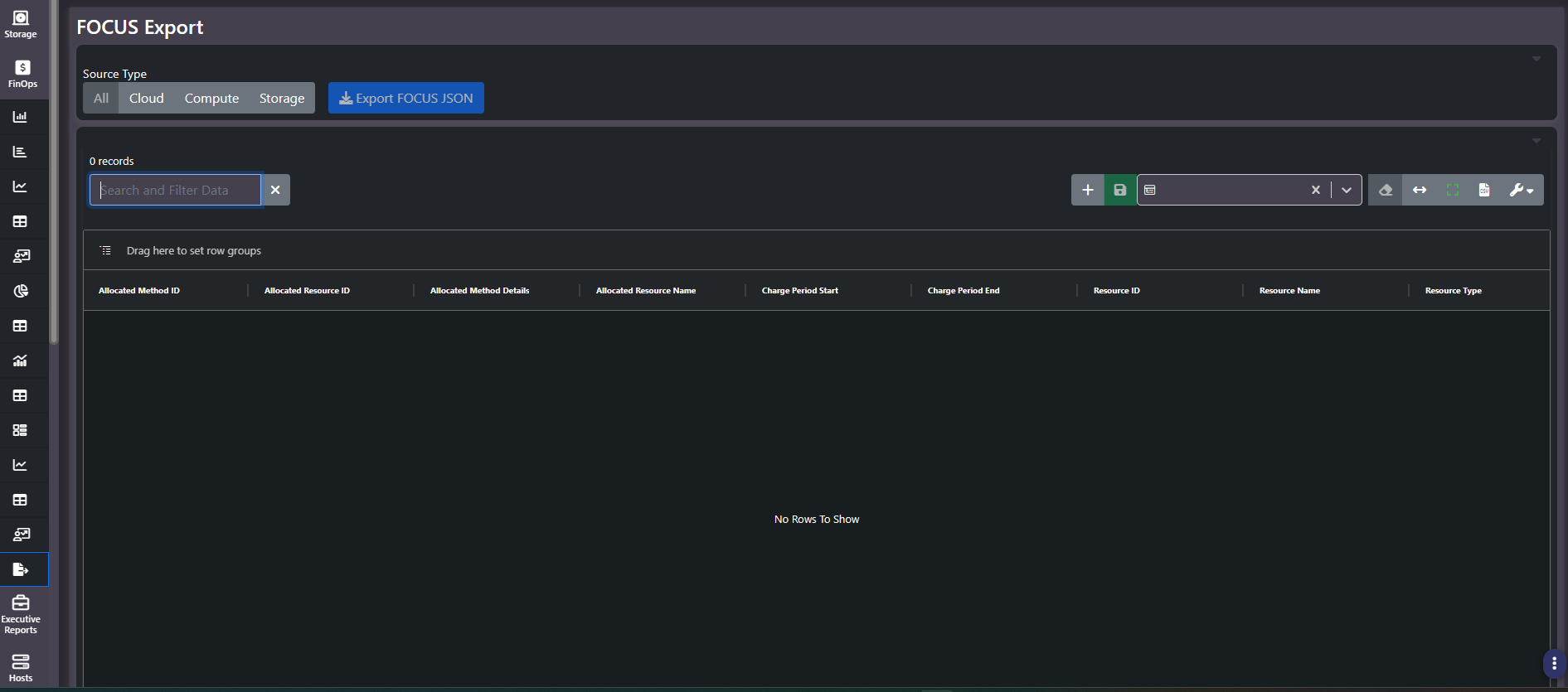
What this screen shows
A Source Type filter across the top with All, Cloud, Compute, and Storage options, an Export FOCUS JSON button, and a wide grid holding one row per resource per charge period. The grid is broader than the viewport and scrolls horizontally, which is expected: FOCUS specifies a lot of fields.
The column groups
| Group | Fields |
|---|---|
| Charge period | Charge Period Start, Charge Period End |
| Resource identity | Resource ID, Resource Name, Resource Type, Service Category, Service Name, Charge Category |
| Billing hierarchy | Billing Account ID, Name, and Type; Sub Account ID, Name, and Type |
| Cost | Effective Cost, Daily Cost, Price Per GB |
| Device and capacity | Device Name, Device Type Code, Device Type Description, Usable, Total Used, Used Pct |
| Allocation | Allocated Method ID, Allocated Method Details, Allocated Resource ID, Allocated Resource Name, Allocated Tags |
| Tags | Tags, carried as the raw JSON object attached to each resource |
This is the only screen that exposes the raw tag object rather than a resolved key and value pair, alongside full resource identifiers. If you are debugging why a resource is landing in the wrong chargeback bucket, this is where the underlying truth is visible.
Why this matters for hybrid estates
FOCUS was written so cost data from different sources can be compared without bespoke mapping for each one. Cloud providers emit it. On-prem storage arrays and virtualization hosts do not. Exporting the on-prem and virtual estate in the same schema as the cloud estate is what lets a downstream FinOps or ITFM platform treat the whole environment as one dataset rather than as a cloud dataset plus a spreadsheet.
Note the direction of travel. This screen exports Visual One’s cost data outward in the FOCUS format. It is a publishing endpoint, not an ingestion point for provider bills.
The allocation fields
The Allocated Method and Allocated Resource fields describe how a shared cost was distributed across the things consuming it, and Allocated Tags carries the tag set that distribution was based on. If a shared array or cluster is being split across several business units, this is where the split rule surfaces explicitly rather than being implied by the totals on other screens.
Tip: Set the Source Type filter before exporting. Exporting
Allwhen the receiving system only wants on-prem data means someone downstream has to filter it again, and the record count is large enough that this is worth getting right once.
What version 1.3 adds
The allocation columns on this grid, covering the allocation method, its details, and the allocated resource and its identifier and tags, are specific to FOCUS 1.3. They expose how shared costs are split across workloads, which means the export carries the methodology rather than only the output. A practitioner receiving this file can see how an allocation was reached instead of taking it on faith.
Exporting infrastructure that never issued a bill
Filter the source type to storage and export, and the result is a FOCUS 1.3 dataset describing physical on-premise infrastructure. That is not a cloud bill reformatted. It is hardware that never produced a billing record in its life, normalized into the Foundation’s open specification and portable into whatever tool the next practitioner prefers.
This is the practical end of hybrid FinOps: one estate, one cost model, and every persona working from the same data, in a schema that does not belong to any single vendor.
Related screens
Chargeback Report presents the same allocation in a readable form. All Tags shows the resolved tag catalog behind the raw JSON in this grid. Financial Administration holds the cost build that produces the effective cost values exported here.