

Snap / Replication Details
Every snapshot and replication relationship, summarized and in detail, with local and remote breakdown.
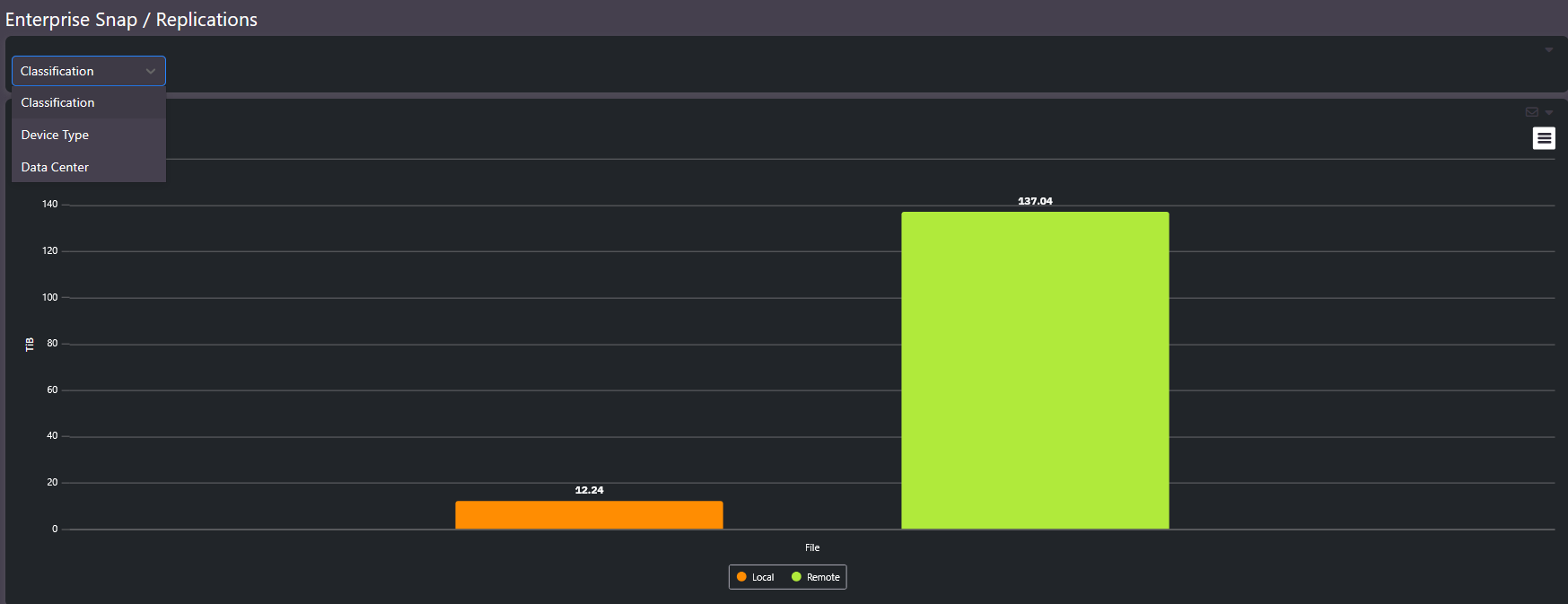
Snap / Replication Details covers the data protection layer of the storage estate: which volumes have snapshots, which replicate, where the targets are, and how much capacity protection consumes. The summary chart splits protection by local versus remote; the detail table lists every relationship.
What this screen shows
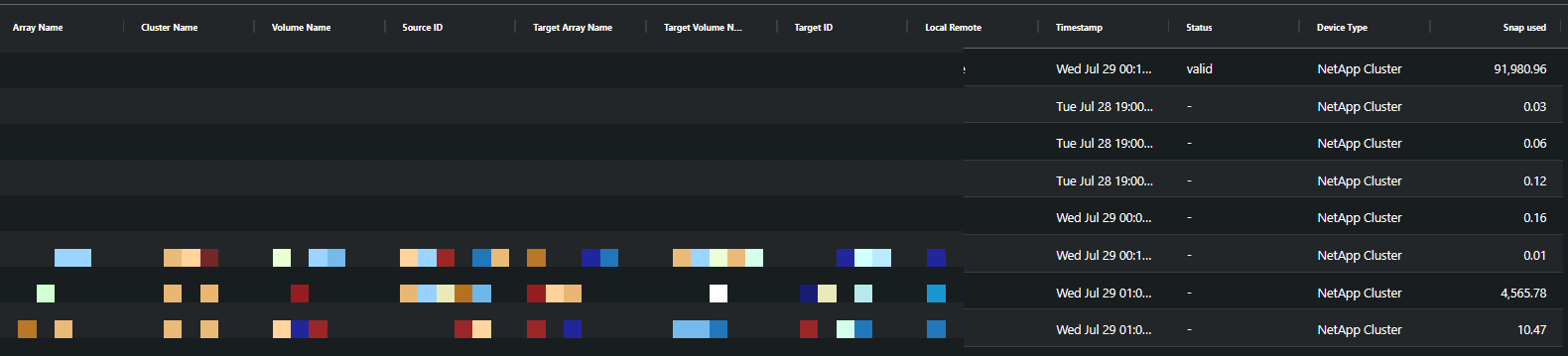
The summary view groups snap and replication capacity by classification, device type, or data center, split between local and remote copies. The detail table lists each relationship:
| Column | Meaning |
|---|---|
| Array / Cluster / Volume | The source of the relationship |
| Target array / volume | Where the copy lives |
| Local / Remote | Whether protection stays on the device or crosses to another site |
| Timestamp | When the relationship last updated |
| Status | Whether the relationship is current and valid |
| Snap used | Capacity the protection copies actually consume |
When to use it
- Verification. The status and timestamp columns confirm replication relationships are current. A stale timestamp on a critical volume is a finding worth raising before a DR test finds it for you.
- Accounting. Snapshot capacity is real consumed capacity, and this screen shows how much of the estate protection actually costs.
- Explaining orphan space. Replication targets at DR sites hold capacity with no local host attached, which is the legitimate form of orphan space.
Related screens
The orphan space discussion in Enterprise Summary pairs with this screen when separating reclaimable orphan space from replication targets. All Units drills to the individual volumes involved.