

Free Space by Group
Where free space actually exists, grouped by device, device type, data center, or classification.
Total free space is a comforting number until you need to place a workload and discover the free capacity is on the wrong platform, in the wrong data center, or reserved for the wrong purpose. Free Space by Group shows where the free space actually is.
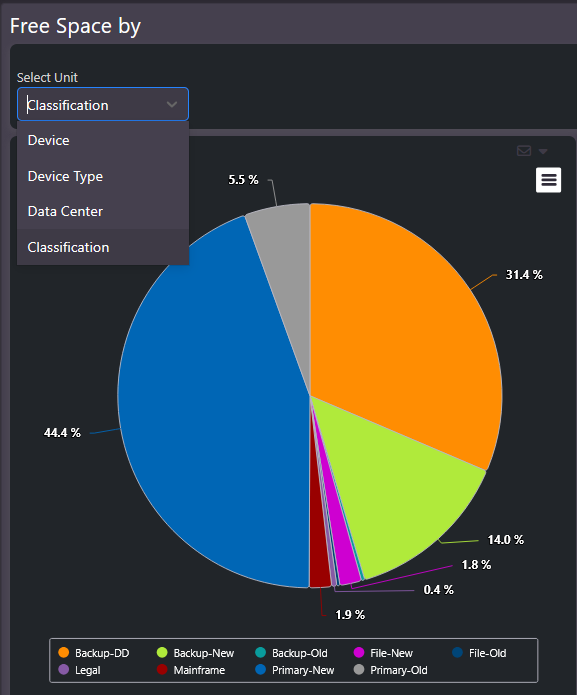
What this screen shows
A proportional view of free capacity, grouped by Device, Device Type, Data Center, or Classification.
- By classification: separates free space that can take primary workloads from free space that lives in backup or archive tiers.
- By data center: shows whether the site you want to grow in actually has room.
- By device or device type: shows which platforms have headroom and which are effectively full.
When to use it
Placement decisions and purchase challenges. Before approving new capacity for a site or platform, check whether free space already exists somewhere it could be used. Combined with the pool fragmentation view in Enterprise Summary, it distinguishes free space that is genuinely usable from free space stranded in small pools.
Related screens
Storage by Group shows free space in the context of total capacity. Enterprise Summary covers the pool-level fragmentation that determines whether free space is usable.